

How to Enroll in Credit Card Electronic Statements
How to Enroll in Credit Card eStatements Through the Credit Card Management Portal
With free eStatements from CRCU, you can receive your credit card account statements anytime and anywhere you have Internet access. eStatements arrive faster than mailed statements and offer added security, since they aren't sitting in your mailbox for anyone to take. Each time a new document is ready to view, you will receive an email notification. You can then log in at your convenience to view or print your documents.
Step-by-Step Instructions to Go Paperless
-
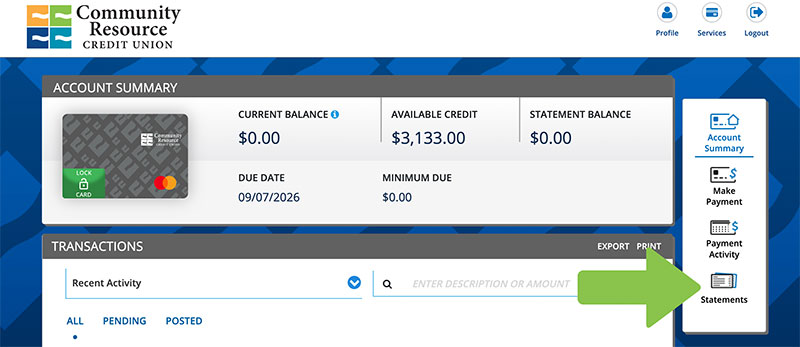
Log in to your Credit Card Management portal via the online or mobile app.
-
Once the Credit Card Management Portal opens, select “Statements” from the navigation menu at the bottom or side of your screen.
-
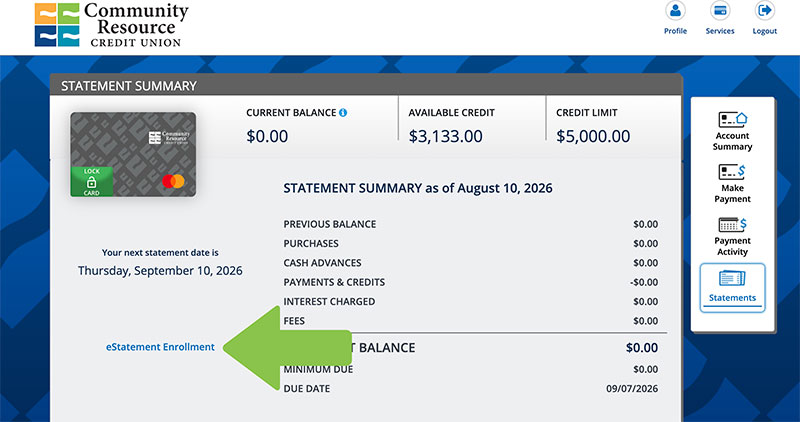
On the Statements Summary screen, tap “eStatement Enrollment.”
-
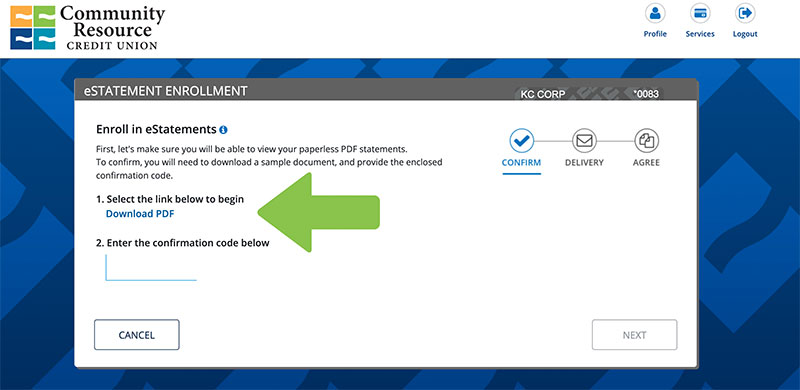
Under the “Select the link below to begin” section, click “Download PDF.”
-
A confirmation code will appear—copy this code.
-
Go back to the eStatement Enrollment screen and paste the confirmation code in the field provided, then select “Next.”
-
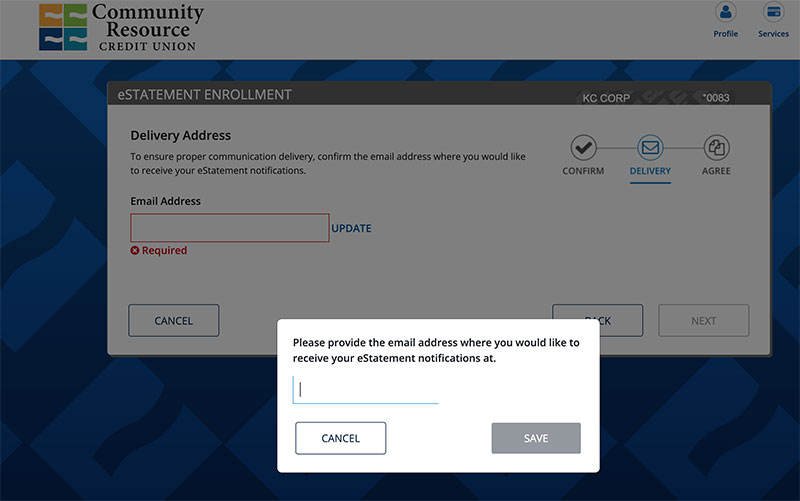
Confirm the email address where you’d like your eStatements sent, then click “Next.”
-
Select “Update” before moving forward. Provide an email address to receive your credit card eStatements.
-
-
Review and accept the eStatement Terms and Conditions, then click “Submit.”
-
Select “Statements” to return to the main Statements page.
Note: If your statement isn’t available yet, you may see a “No Statement Available” message.
You're All Set!
If you have any questions or need assistance, we're here for you. Visit our Credit Card Conversion page or call us at 281.422.3611.