

A Convenient Way to Access Your Credit Card Statements
Step-by-Step Guide
How to Find Your Credit Card Statements
A quick, convenient way to view, download, and print your CRCU credit card statements right from Online and Mobile Banking.
Good to know: This is an additional, convenient way to access your credit card statements through the Self-Serve Portal. You can view your statements here whether or not you are enrolled in e-statements. Follow the steps below for either Mobile Banking or Online Banking.
Using Mobile Banking
1
Log in and open the Bank menu
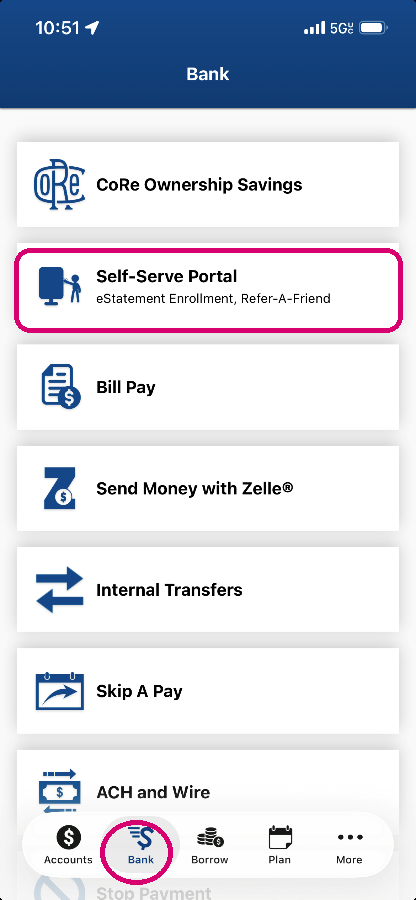
Log in to the CRCU mobile app. Tap Bank in the bottom menu, then tap Self-Serve Portal.
2
Open the menu and select Credit Card Statements
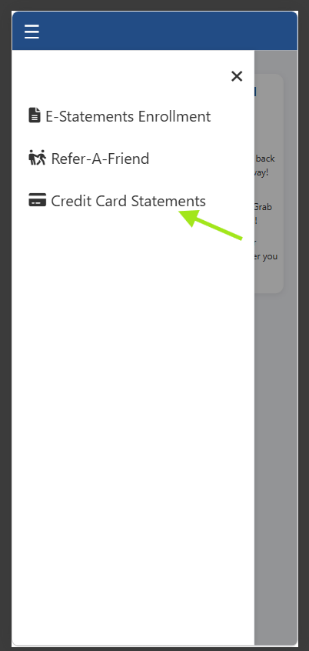
Once the Self-Serve Portal opens, tap the menu icon in the top corner, then select Credit Card Statements.
Using Online Banking
1
Log in and open Additional Services
Log in to Online Banking. Click Additional Services, then click Self-Serve Portal.

2
Select Credit Card Statements
From the left-side menu, click Credit Card Statements.
Viewing Your Statements
3
Find your card
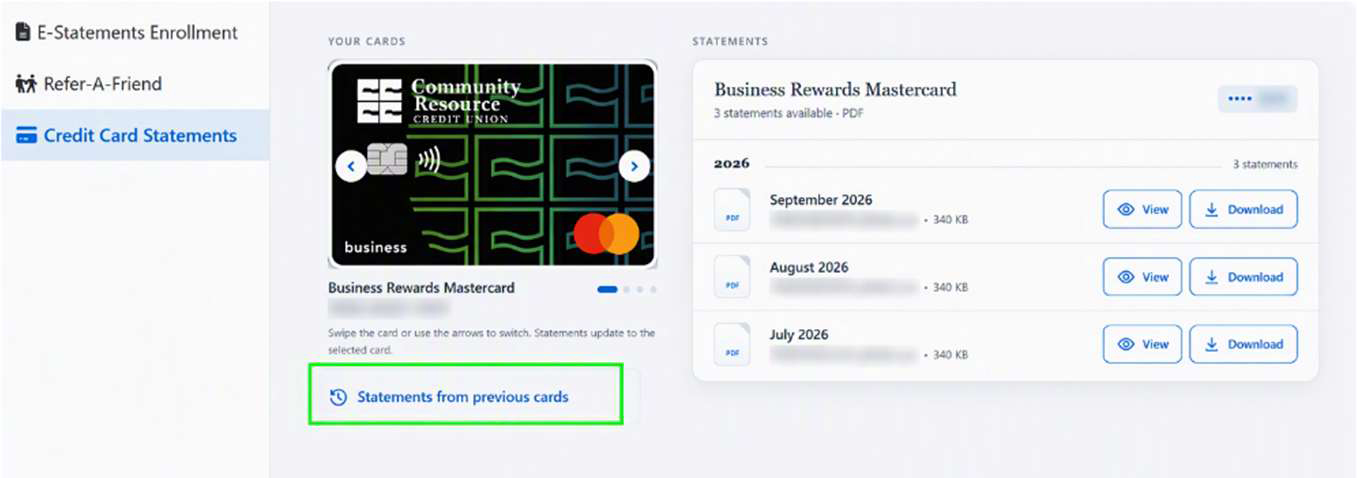
Under Your Cards, you will see the card type and the last four digits of the card number. Select Statements from previous cards.
Note: If you have more than one card, use the left and right arrows to switch between them. Your statements update to match the selected card.
4
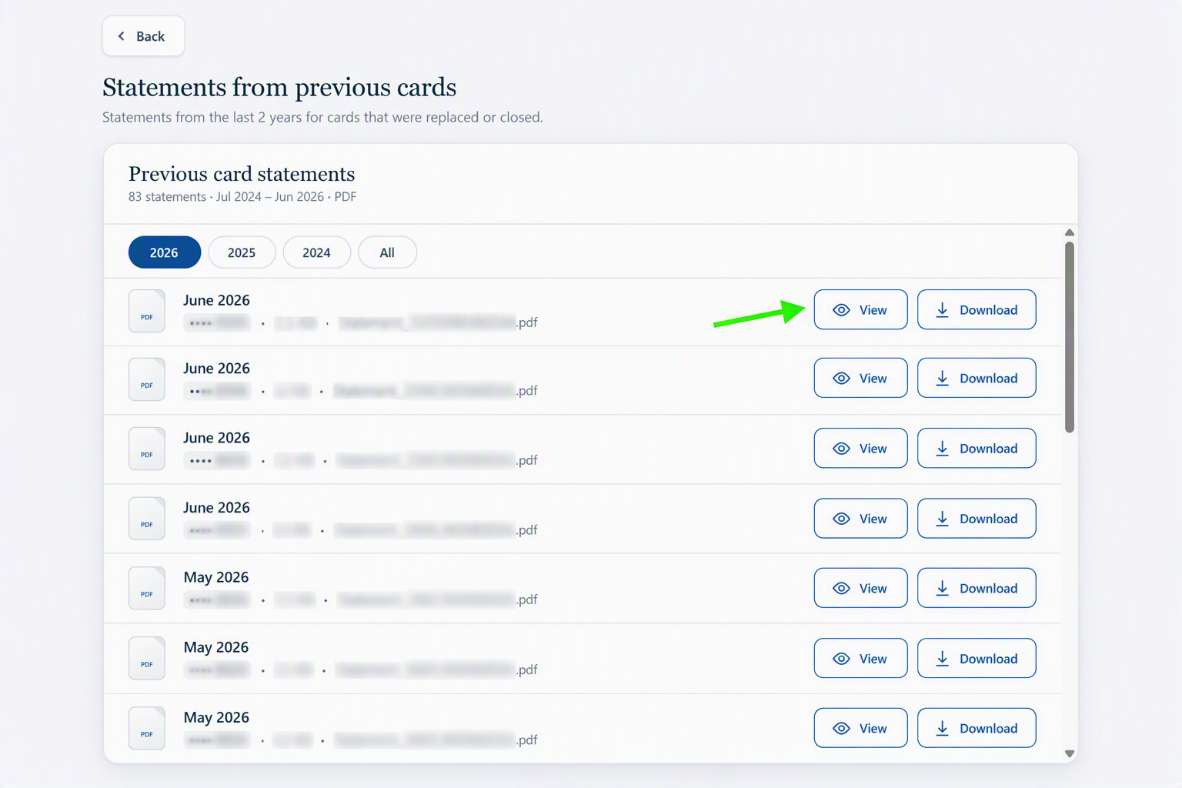
View or download any statement (current or in the past 2 years)
Your statements are organized by year. Click View to open a statement as a PDF, or click Download to save it directly. From the PDF viewer, you can also print a copy.
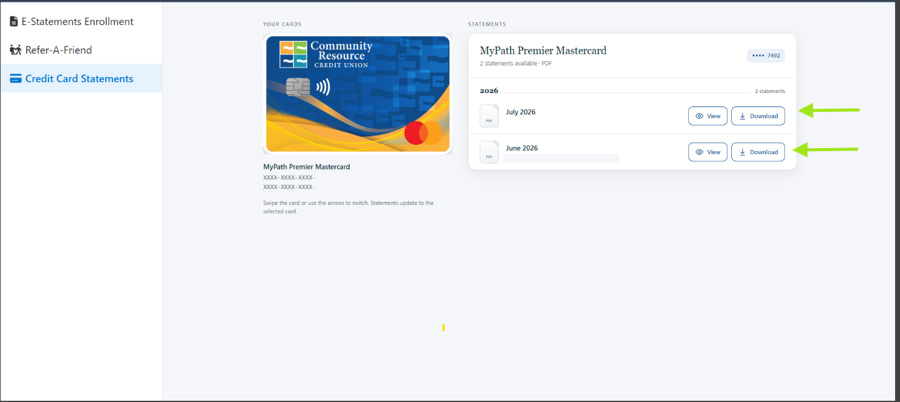
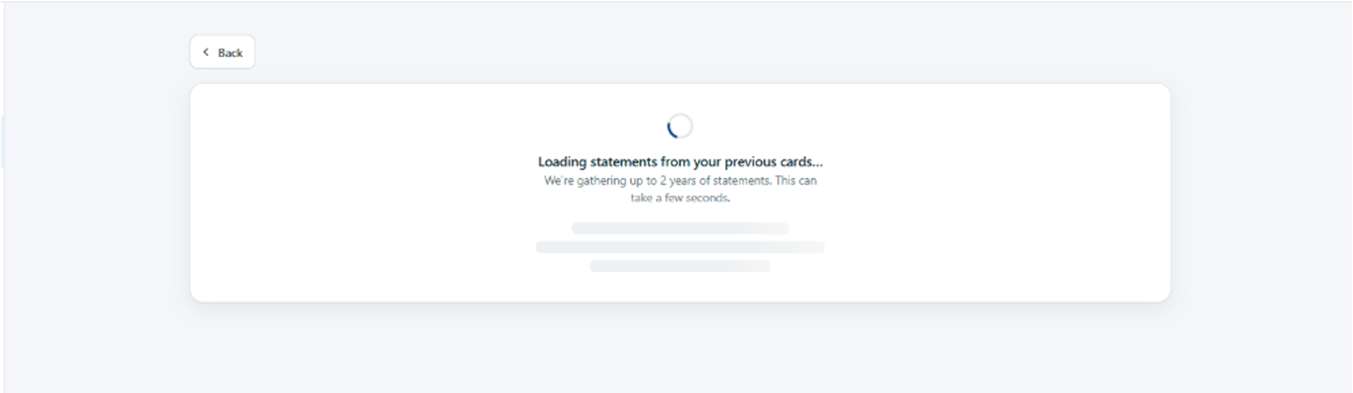
Due to the large volume and size of the files being retrieved, members may experience a slightly longer loading time when initially accessing these statements. Here is an example of the loading screen after you make a selection.
A Few Things to Keep in Mind
•
Statements are tied to your current card. If you received a new card since our recent upgrade, statements from a previous card number go back only 2 years. You will be able to access approximately two years of historical FIS credit card statements through Online & Mobile Banking. Historical FIS statements will be displayed in a text-only format.
•
No statements yet? If you see a message that no statements are found, a statement may not be available for that card yet. New statements will appear here after each statement cycle.
•
We are always improving. We are continuing to add features to make managing your credit card even easier, so keep an eye out for more updates.
Need a Hand?
We are happy to help you find your statements.
Or stop by any CRCU branch